
Confluve for Mac
Made for the Mac.
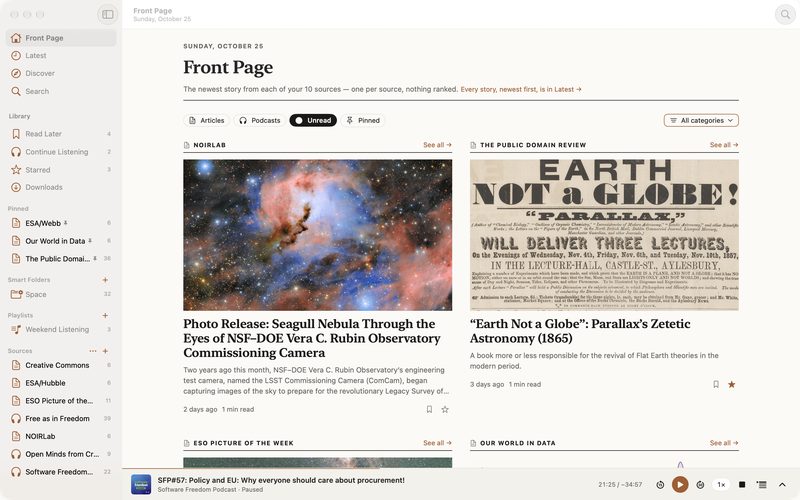
Confluve on the Mac is its own app, built for a large screen, a keyboard and a window you resize.
What the Mac app does
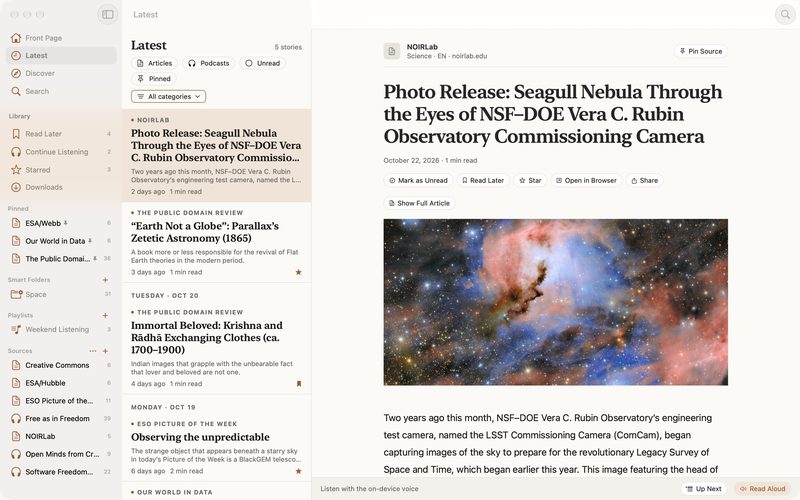
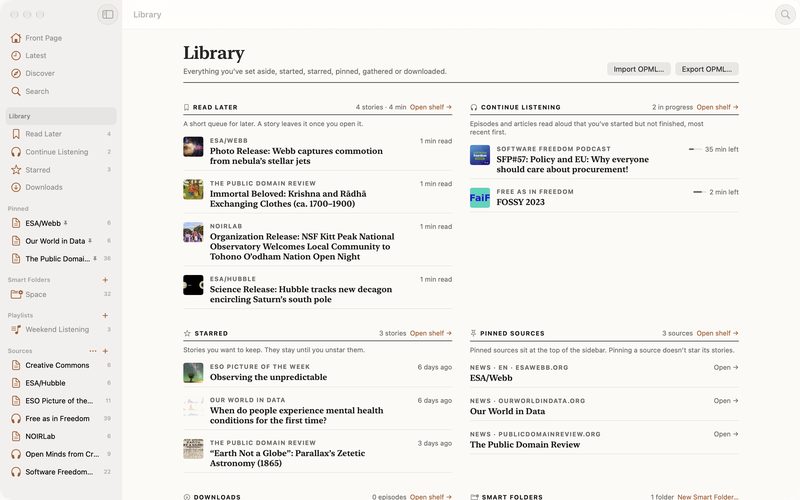
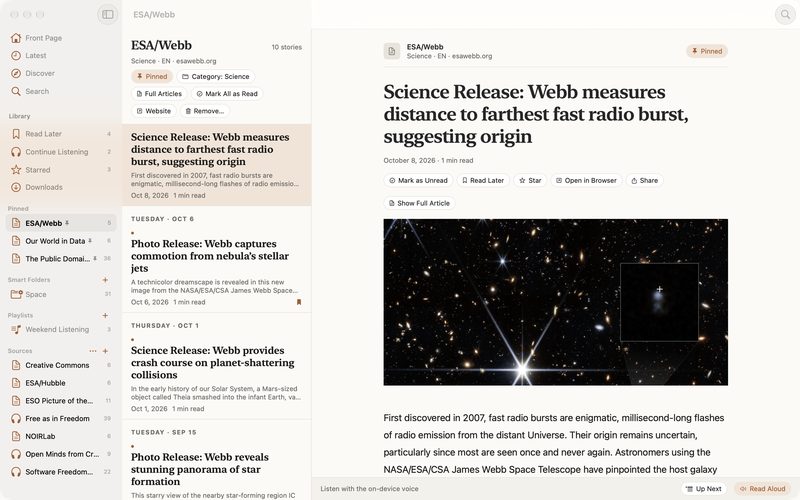
- A sidebar with everything in reach. Front Page, Latest, Discover and Search; Read Later, Continue Listening, Starred and Downloads with their counts; your pinned sources, smart folders, playlists and every source with its unread count.
- The list beside the reader. Drag the divider to give the list or the story more room. In a narrow window, the reader takes the whole width and Back returns to the list where you left it.
- Undo, not “Are you sure?” Mark a source as read, star a story, move it to Read Later: each answers with an Undo. Only what can’t be undone, like removing a source, asks first.
- Search this view. ⌘F narrows whatever is on screen, combined with your filters.
- Pull to refresh on the trackpad, or ⌘R.
- Playback keeps going when you close the window.
- Text from 100% to 200%, for the stories, leaving the window’s own controls at the system size.
Keyboard
| Front Page · Latest · Library · Discover · Search | ⌘1 · ⌘2 · ⌘3 · ⌘4 · ⌘5 |
|---|---|
| Add a feed | ⌘N |
| Search this view | ⌘F |
| Refresh | ⌘R |
| Mark all as read | ⌥⌘K |
| Copy link | ⇧⌘C |
| Back | ⌘[ |
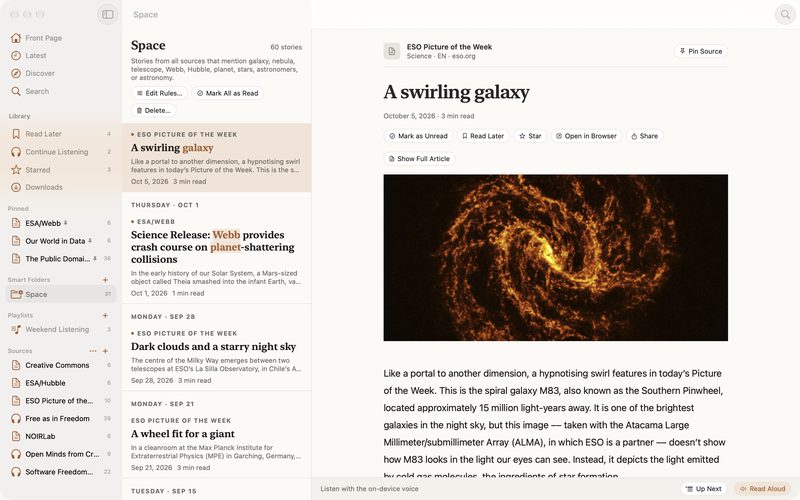
Screenshots show stories and pictures from ESO, NOIRLab/NSF/AURA, ESA/Webb, ESA/Hubble, NASA, CSA, The Public Domain Review, Our World in Data, Creative Commons, the FSFE and Free as in Freedom, used under their Creative Commons licences (CC BY 4.0, CC BY-SA 4.0, CC BY-SA 3.0 US). Their names and logos belong to them; showing them implies no endorsement. Credits and licences